Users
The User popup represents the individuals authorized to manage and access specific pages within your application. This section allows you to control permissions at a granular level.
User Management
User Table: Displays a comprehensive list of all people currently added to the popup.
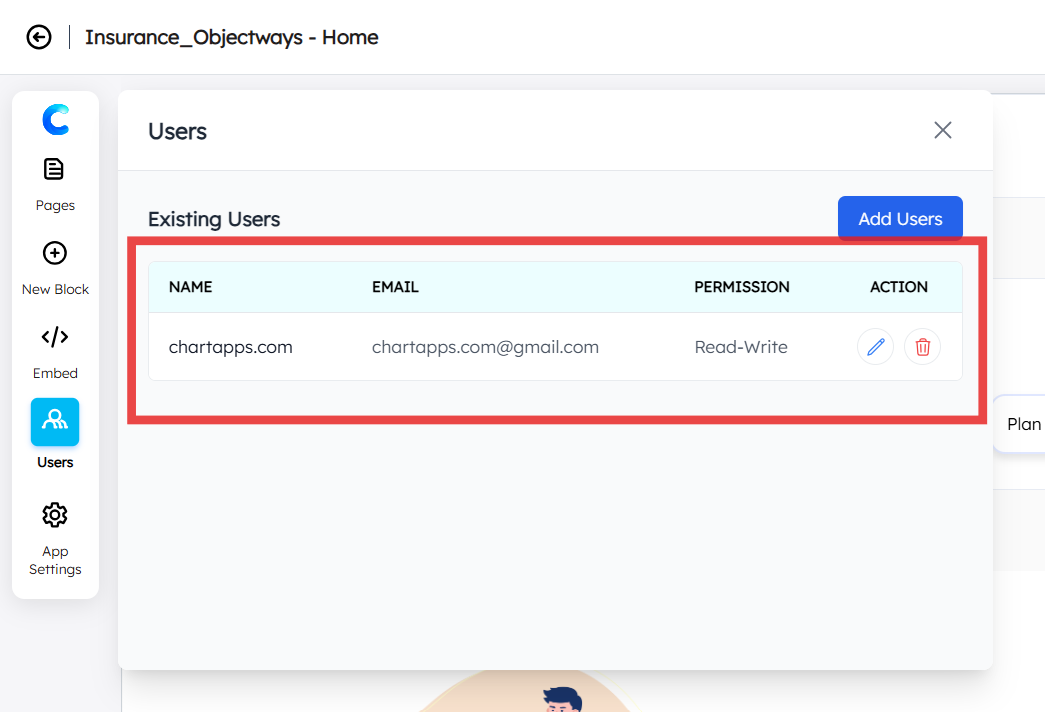
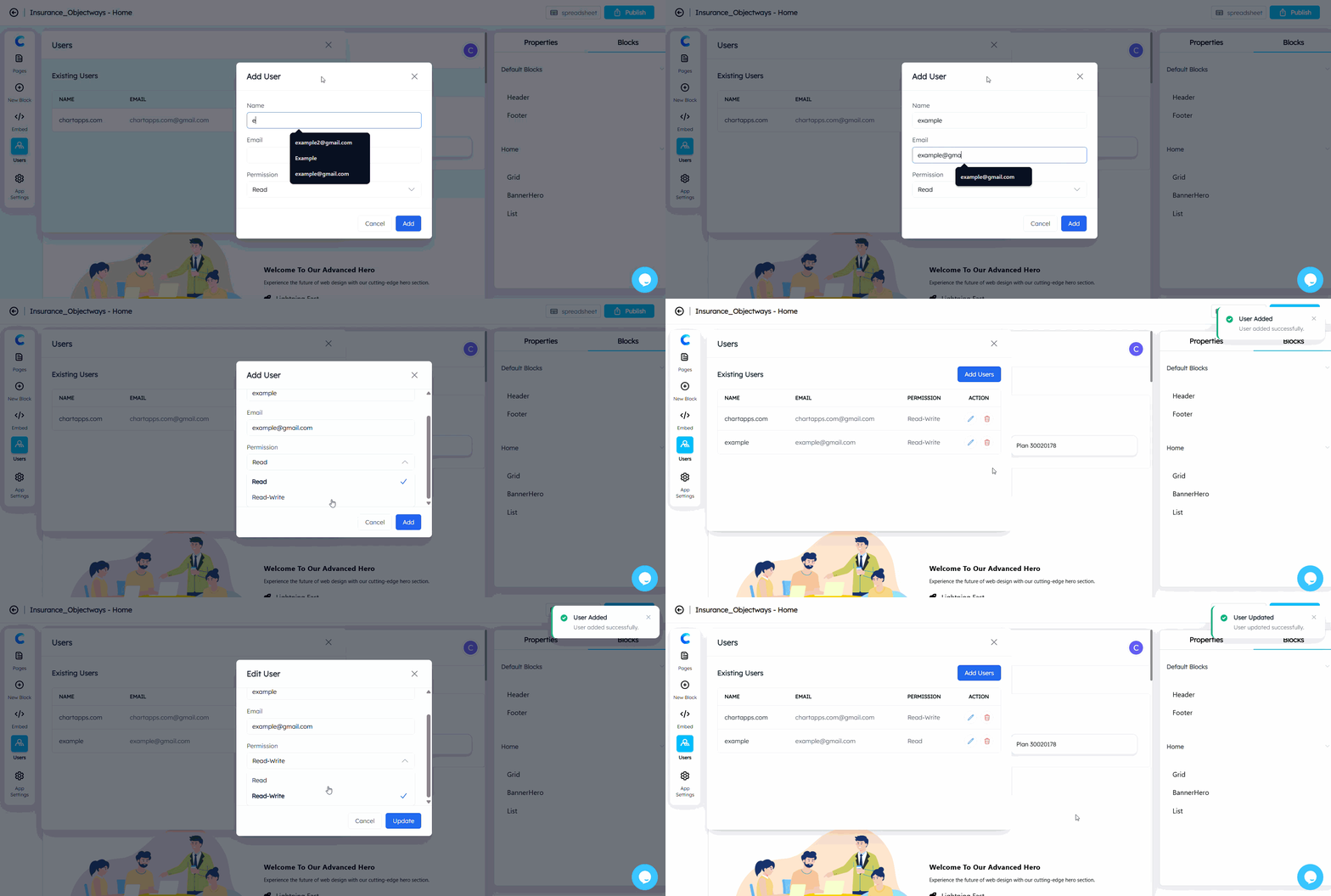
Add User Button: Click this to grant new users access. When clicked, a popup will appear requiring the following details:
Name: Enter the user’s full name.
Email: Enter the user’s primary email address.
Permission: Select the level of access:
Read: User can view the content only.
Read-write: User can view and modify the content.